 GDictate
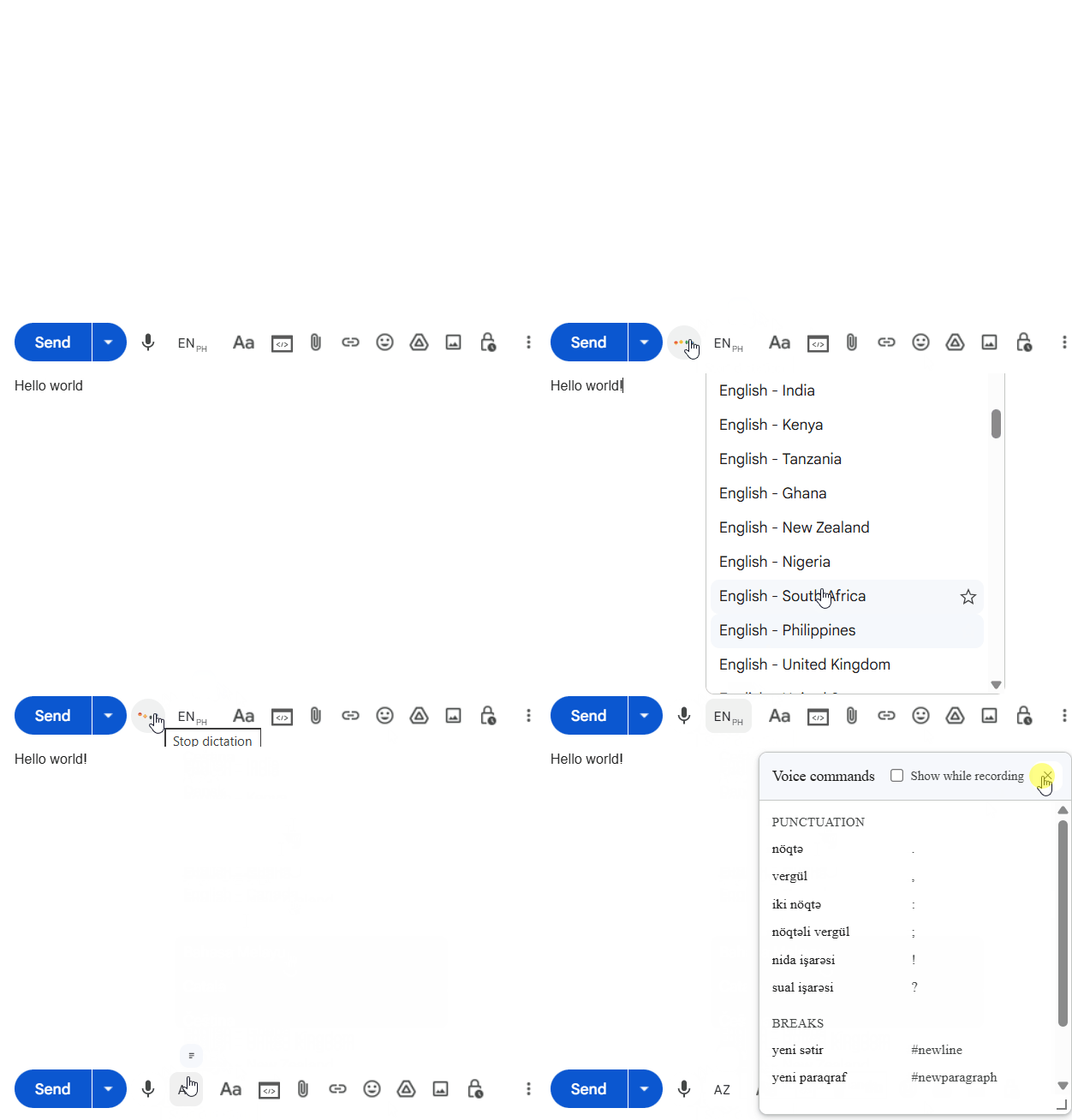
Dictate in the draft
Mic starts dictation. Language chip switches languages. Commands opens the voice-command list.
Shortcut: press Alt + Z to toggle dictation.
Gmail dictation for people who would rather speak the reply than type it. Commas land as commas. A pause does not add a period. Send stays yours.
5 50+ languages
Typed
New message
0:00Said
New message
0:000.0faster
average 5 min email
Mic next to Send, spoken punctuation, stop safely — then Polish and Structure.
Prefer text? Full written guide
Starts and stops. Hold, talk, release.
Text lands at the cursor, in Gmail’s font. A new sentence starts with a capital. A pause does not.
Saying “send” types the word. It does not mail the thread.
Mic starts dictation. Language chip switches languages. Commands opens the voice-command list.
Shortcut: press Alt + Z to toggle dictation.
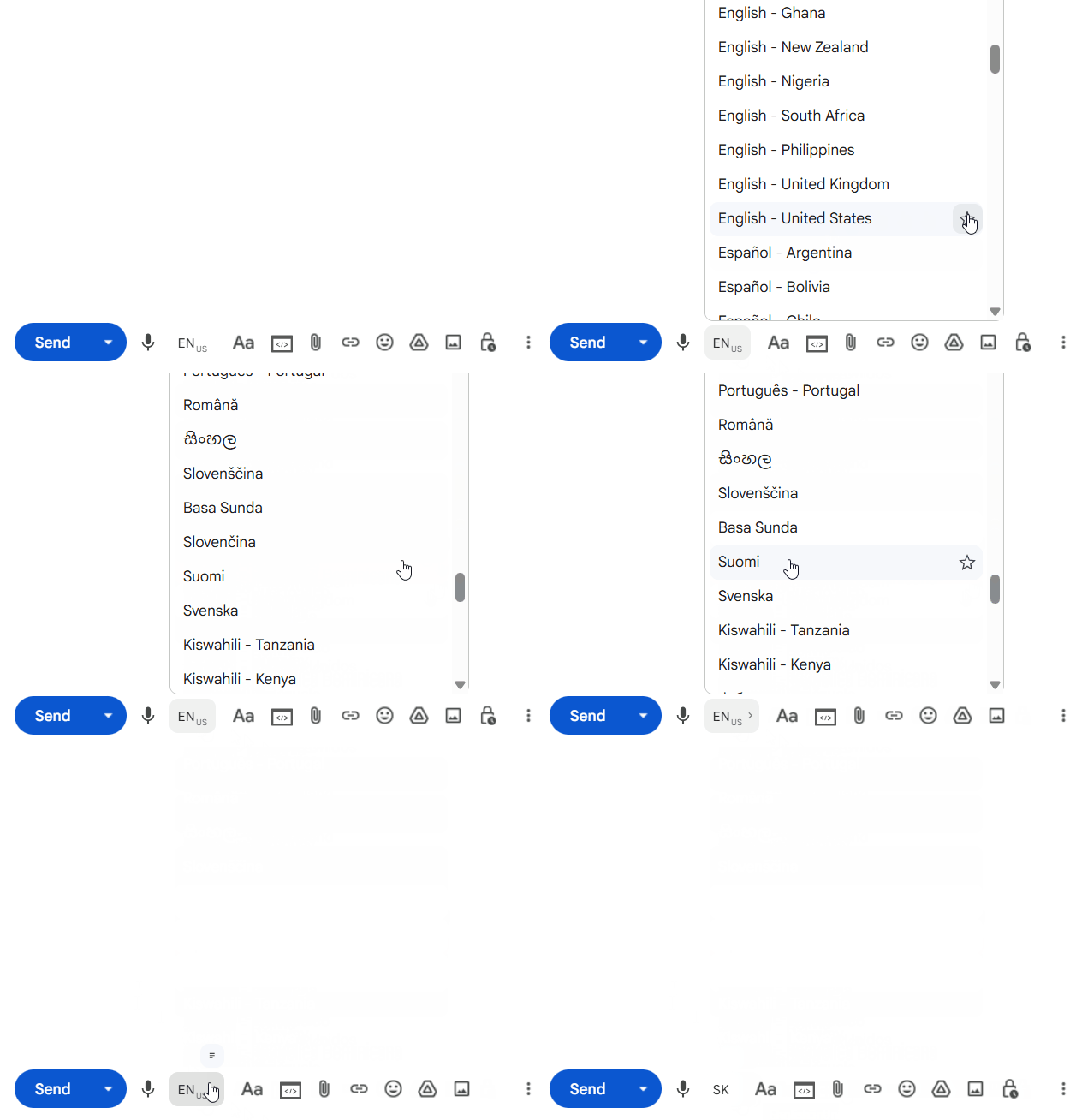
Star languages in the picker. Quick chips appear next to the language control for one-tap switching.
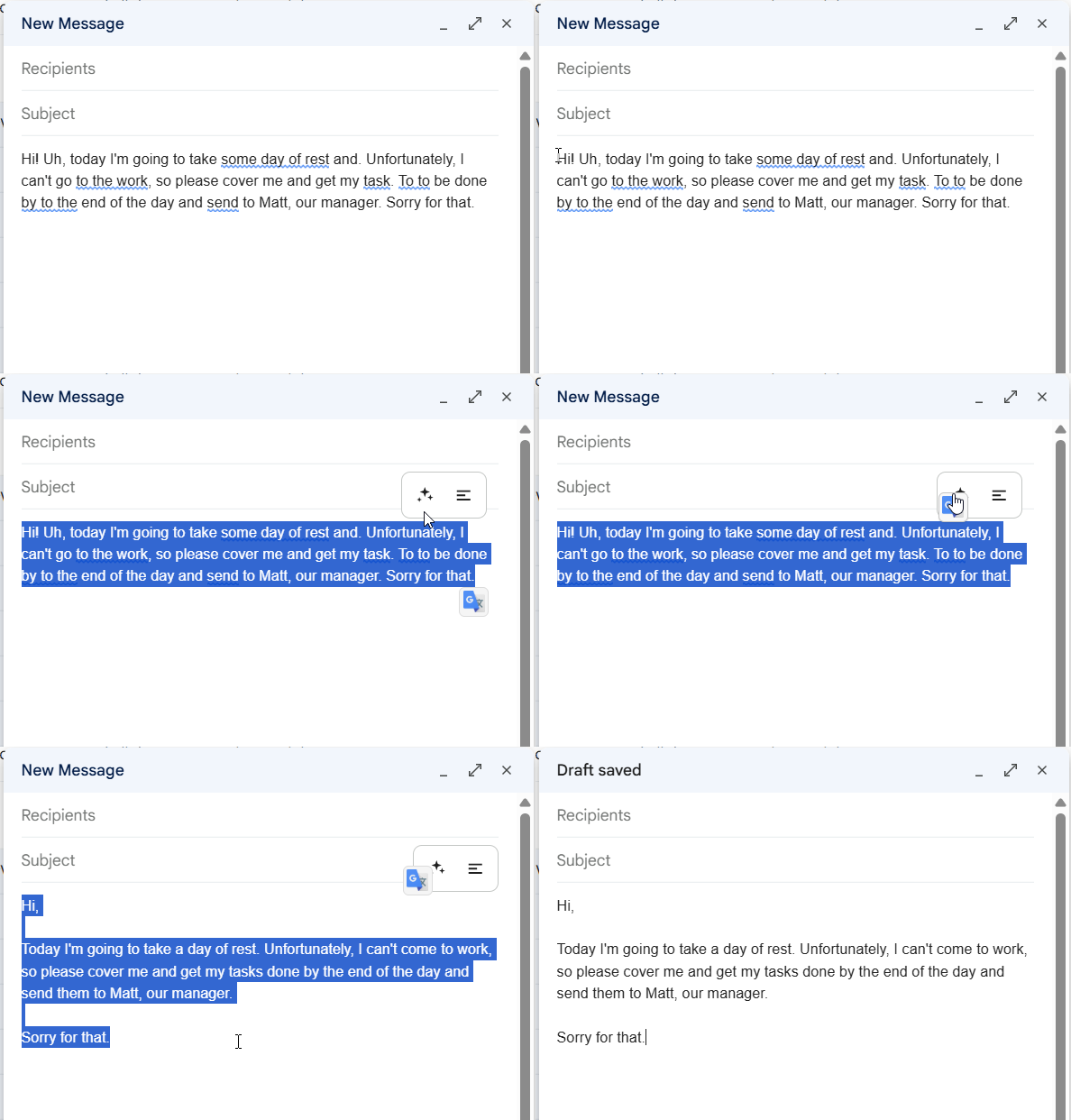
Spoken punctuation is already in the draft. Polish, on the text you select, cleans it further and drops fillers such as um and uh. Your words stay.
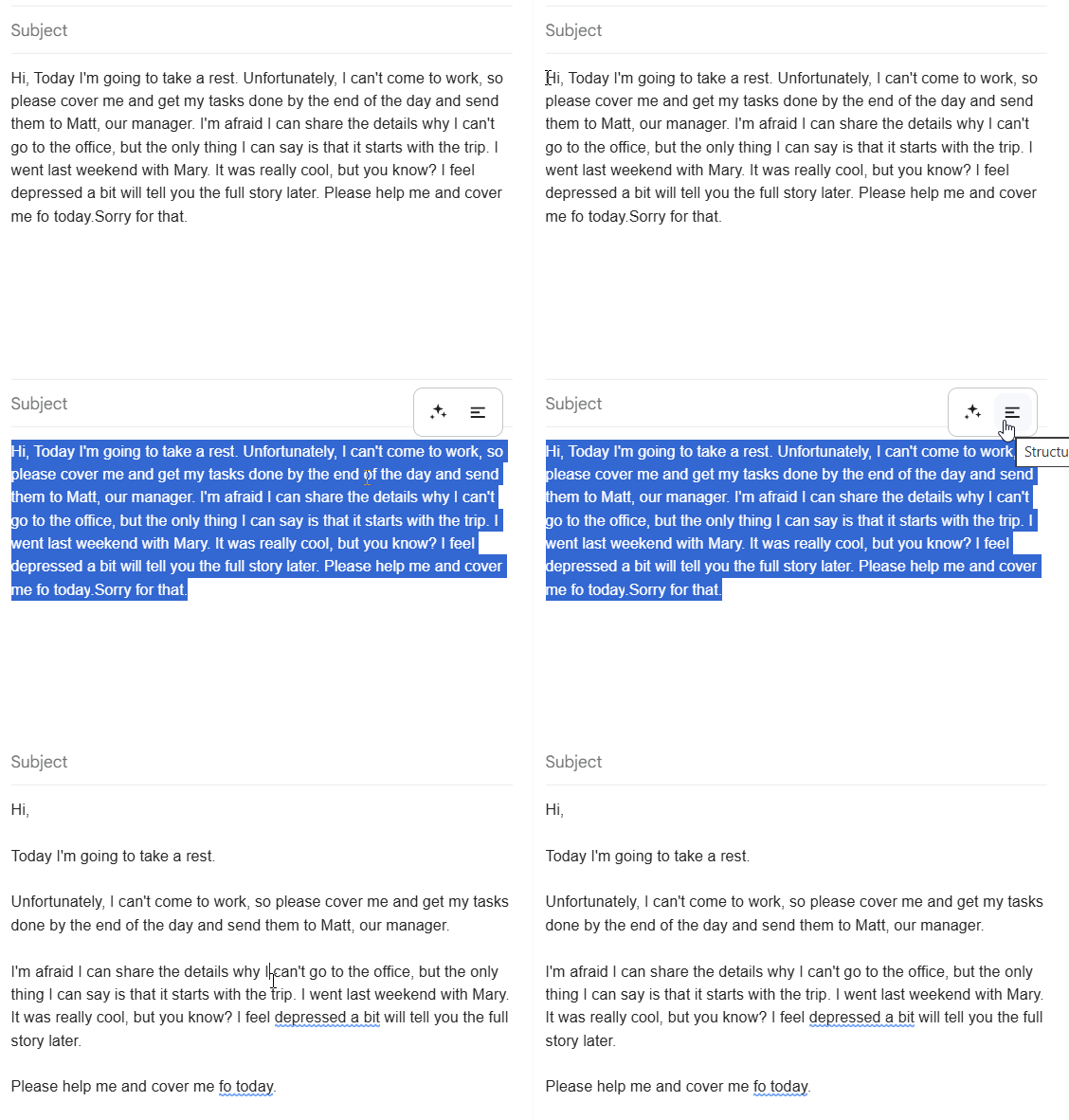
Splits a long monologue into paragraphs and plain lists. It does not rewrite the wording.